Your live classes, backed by a real learning portal.
Students in our CCNA, CCNA Automation, CCNA Cybersecurity and firewall programs get a sign-in to our student portal. After each live 1:1 class, your mentor opens that class for you: a written lesson, a graded quiz and a hands-on lab. This page walks through the portal the way a student sees it, with real screenshots from a test account.
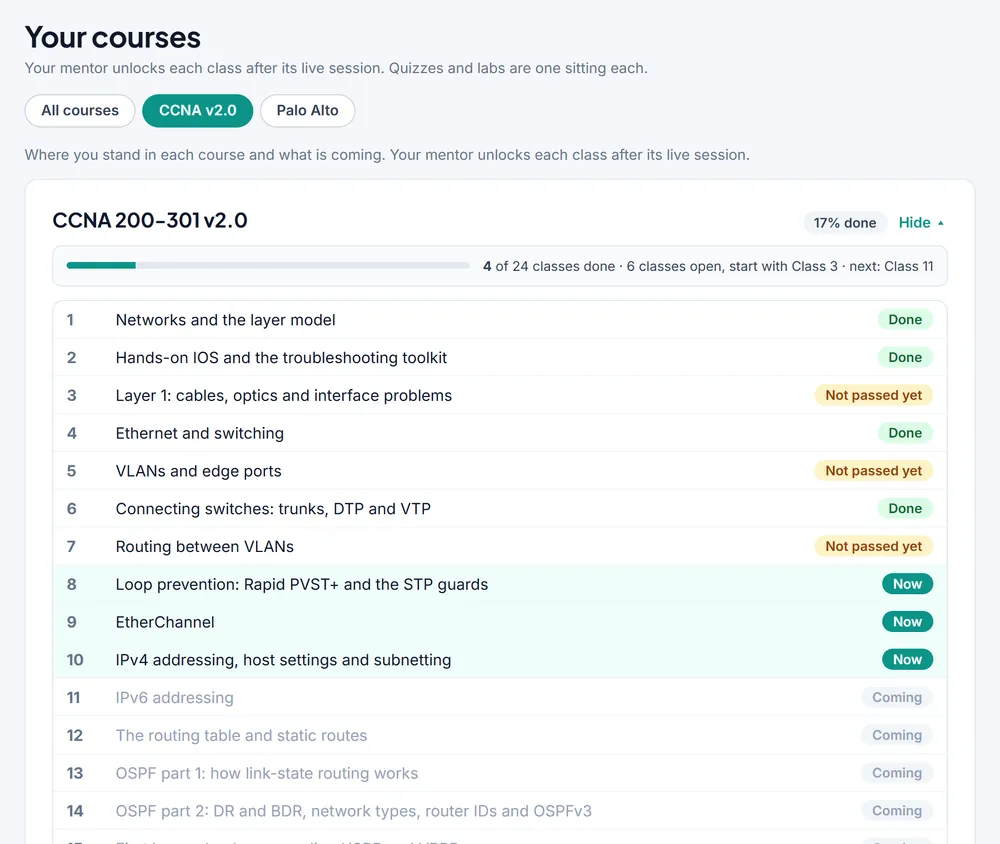
Every class, three buttons: Lesson, Quiz, Lab.
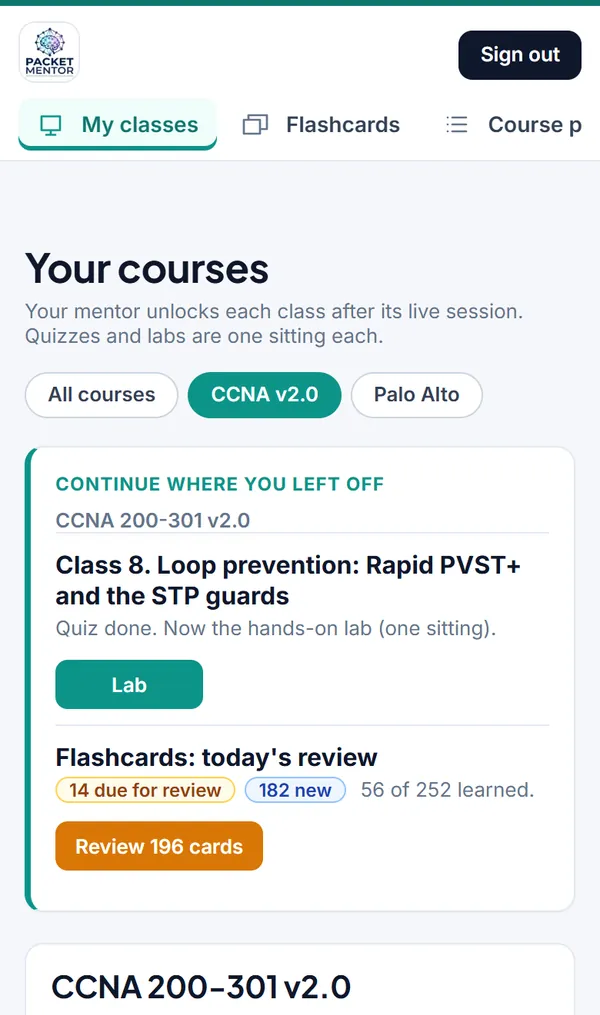
My classes lists each class your mentor has opened for you. Every row has the same three buttons: Lesson, Quiz and Lab. Once you finish a quiz or a lab, its button shows your score and opens the review. A Continue where you left off box at the top names your next step.
The menu has the same four places on a laptop or a phone: My classes, Course plan, Results and How it works, plus Flashcards once your course has a deck.
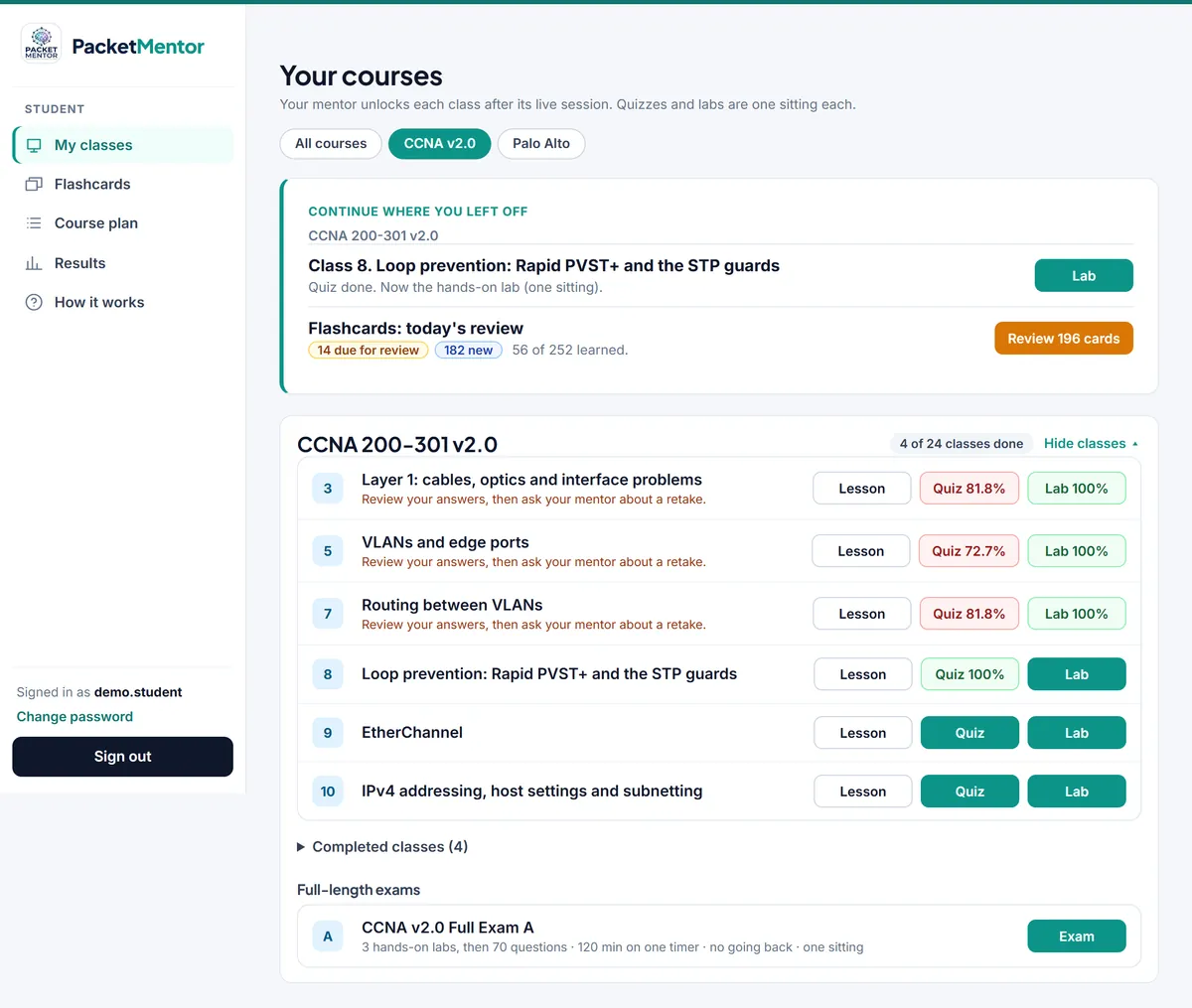
Course plan: where you stand
The course plan shows every class in the course with a progress bar and a status for each one: Done, Not passed yet, Now or Coming. You always know what is open today and what comes next.
Read the lesson after class, then lock it in.
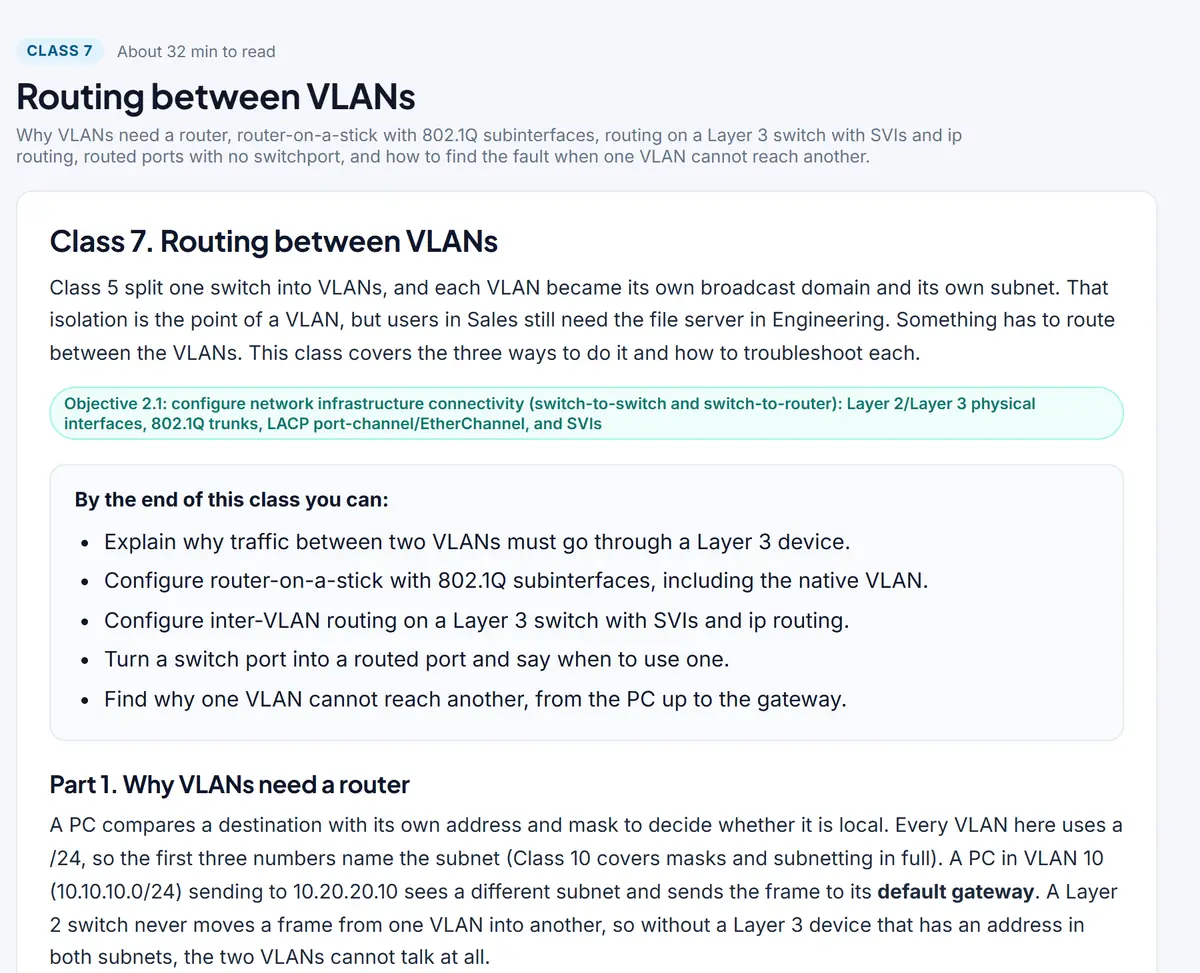
Each class has a written lesson that follows the live session: what you will be able to do by the end, the
concepts in plain English, network diagrams, comparison tables, real Cisco IOS configuration and
show output. Read it before the quiz, and come back to it whenever a lab question trips you up.
Flashcards that come back when you need them
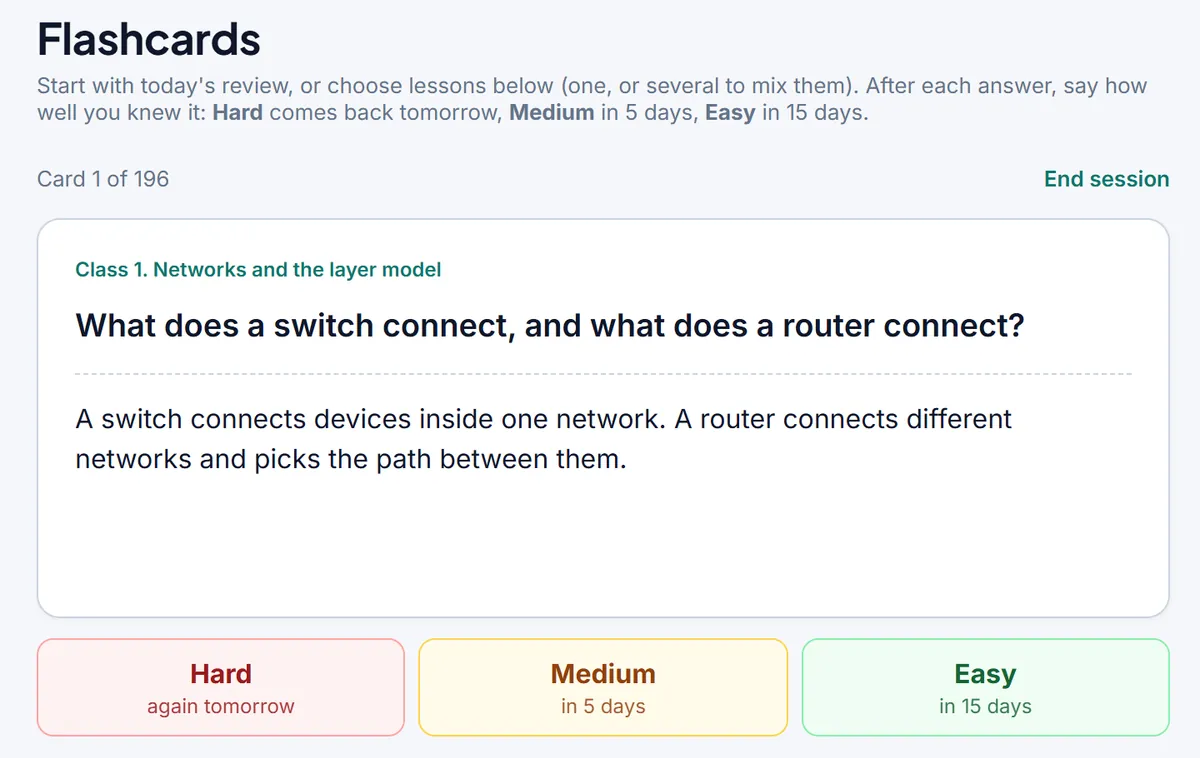
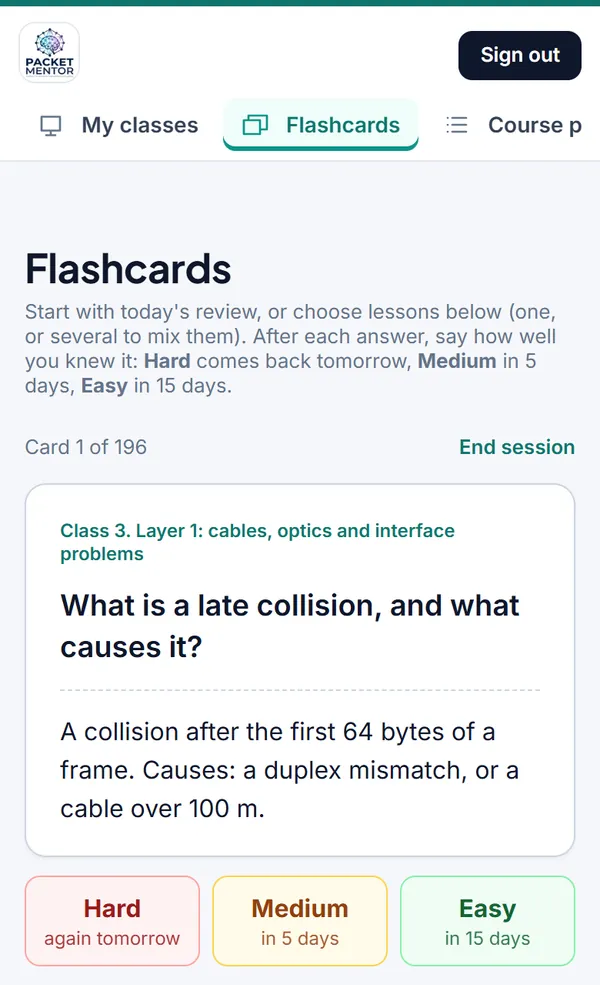
CCNA v2.0 students get a flashcard deck for every class, written from that class's lesson. Flip a card, then rate it: Hard comes back tomorrow, Medium in 5 days and Easy in 15 days. Start with today's review, study one lesson, or mix several lessons together.
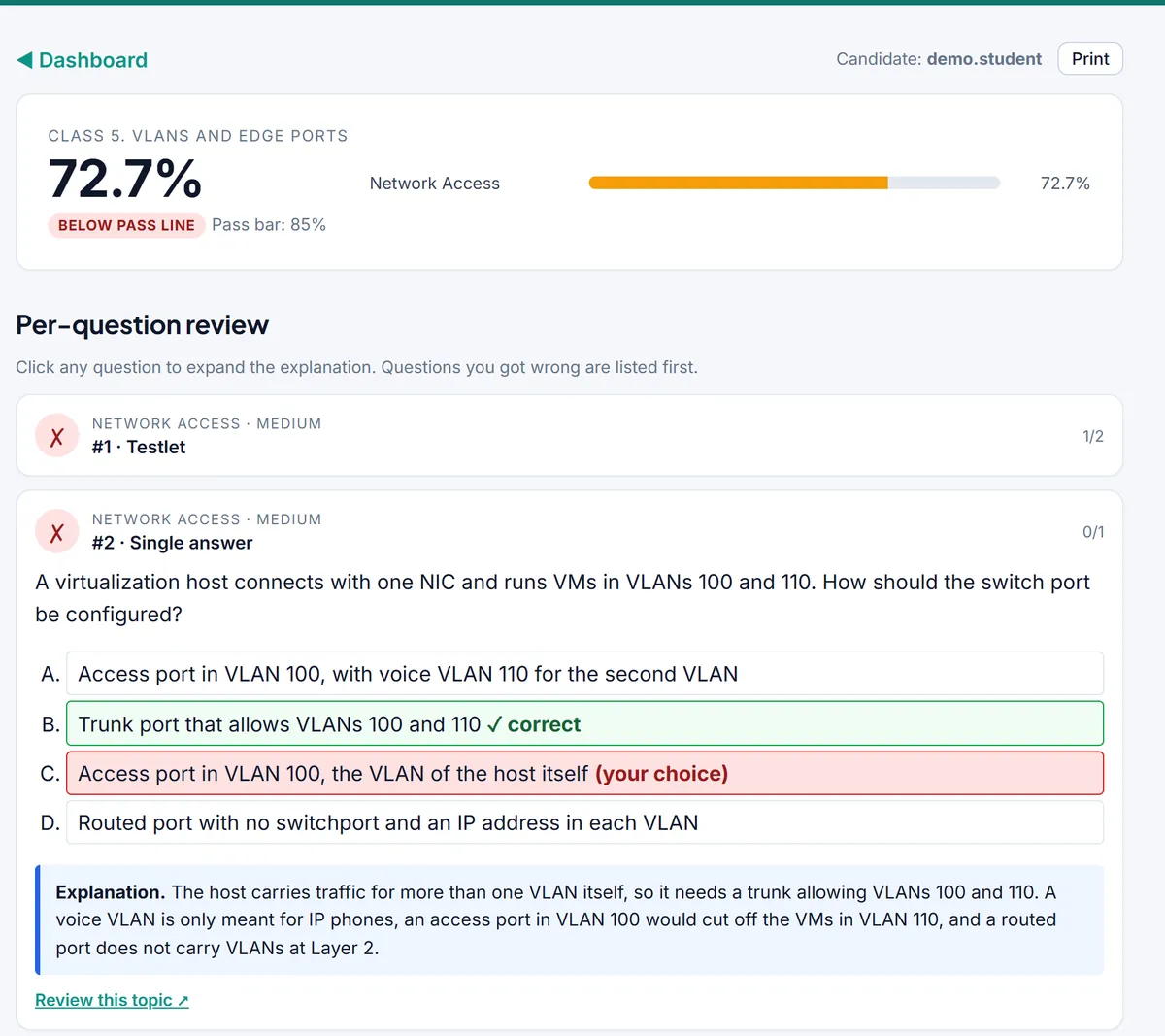
Graded quizzes that work like the real exam.
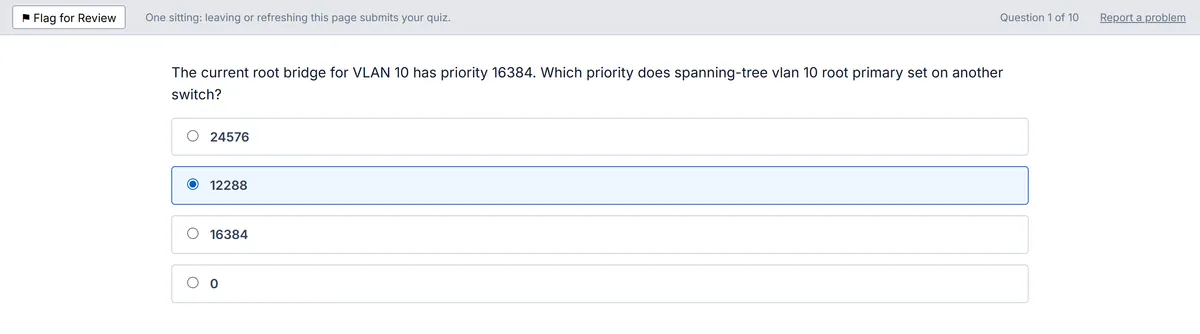
Every class has a short timed quiz with the question types you will see on exam day: single answer, multiple response, drag and drop and testlets. The pass line for a class quiz is 85%.
- One attempt, one sitting. Once you start, finish in one go. Leaving or refreshing the page submits what you have done.
- Retakes come from your mentor. If you want another try, message your mentor and ask for a retake.
- A full review after every quiz. See your answer, the correct one and an explanation for each question.
Results: every try, and how ready you are
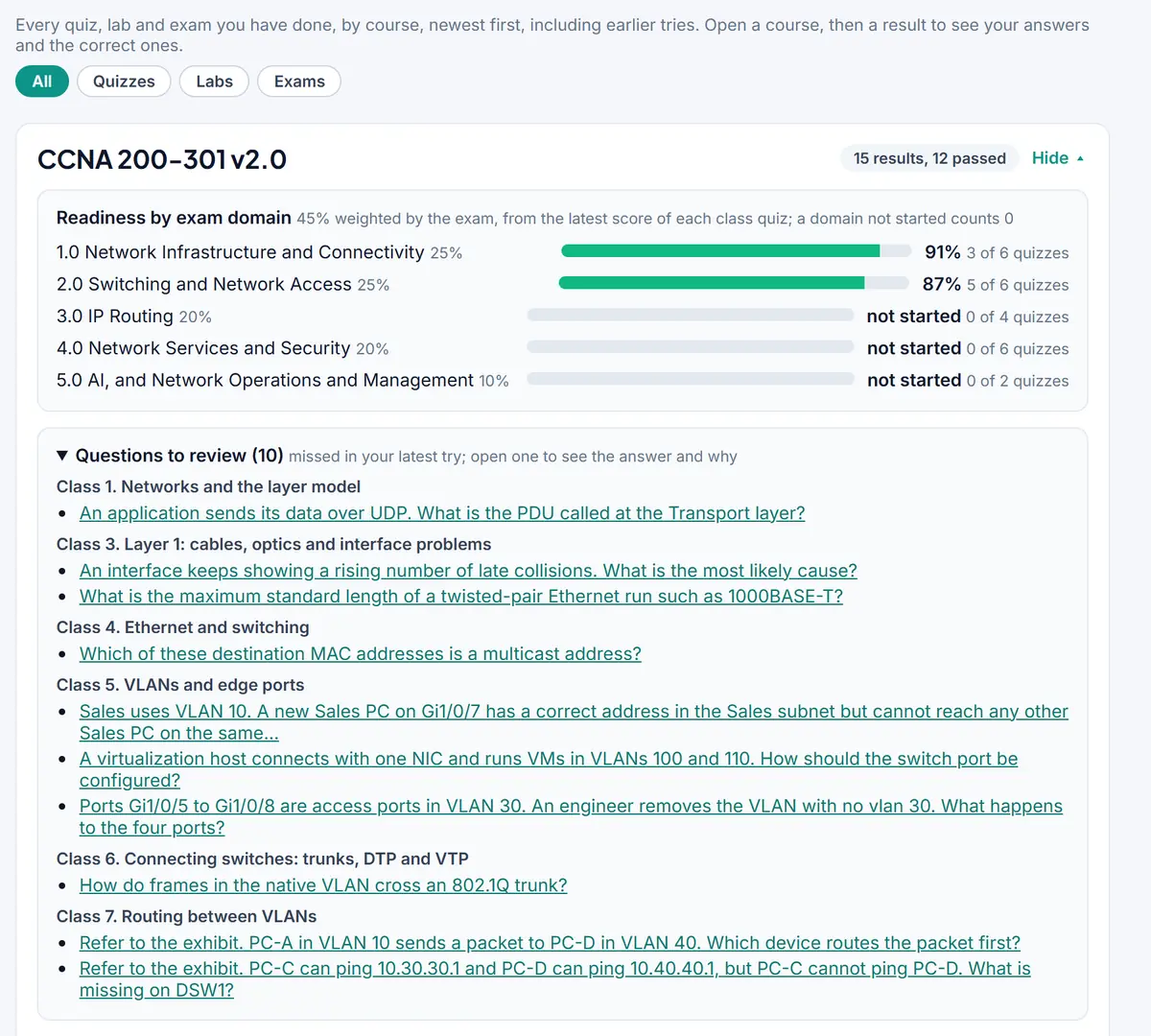
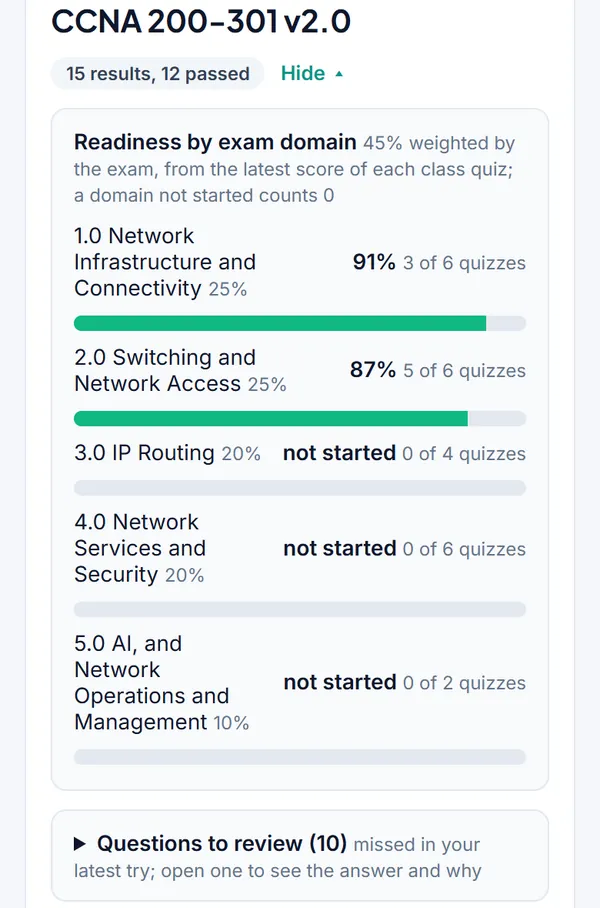
Results lists every quiz, lab and exam you have taken, newest first, earlier tries included, and each one opens its review. For CCNA v2.0 and CCNA Automation it also shows your readiness by exam domain, weighted the way the exam is, and a list of questions to review: the ones you missed in your latest try, each one linking straight to its explanation.
Type real commands, get graded on the result.
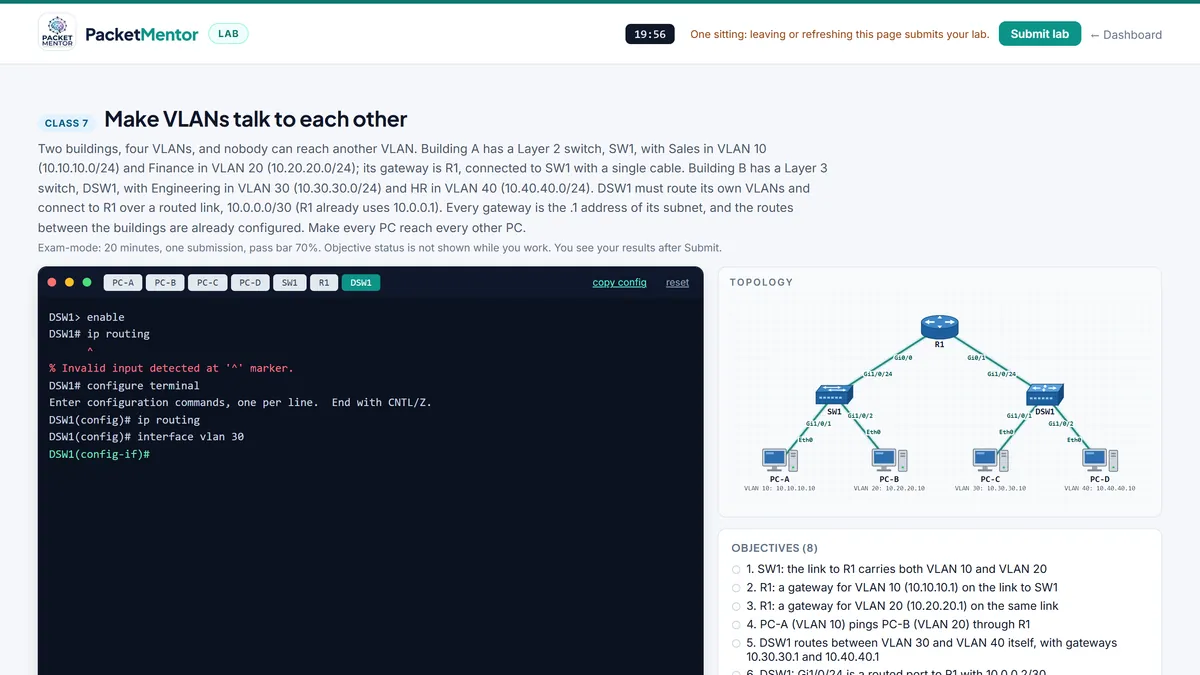
CCNA v2.0 labs run in your browser: a multi-device Cisco IOS console with routers, switches and PCs, the topology beside it and a list of objectives. You get 20 minutes and one submission, like a lab on the exam. Objective status stays hidden while you work; when you press Submit, the portal checks each objective against your devices and shows what passed. The lab pass line is 70%.
CCNA Automation and CCNA Cybersecurity labs use a simulated Linux workstation in the browser, with real Python (version 3.12) in the Python labs. Labs need a laptop or desktop with a keyboard; lessons, quizzes and flashcards also work on a phone.
EVE-NG labs for the firewall courses
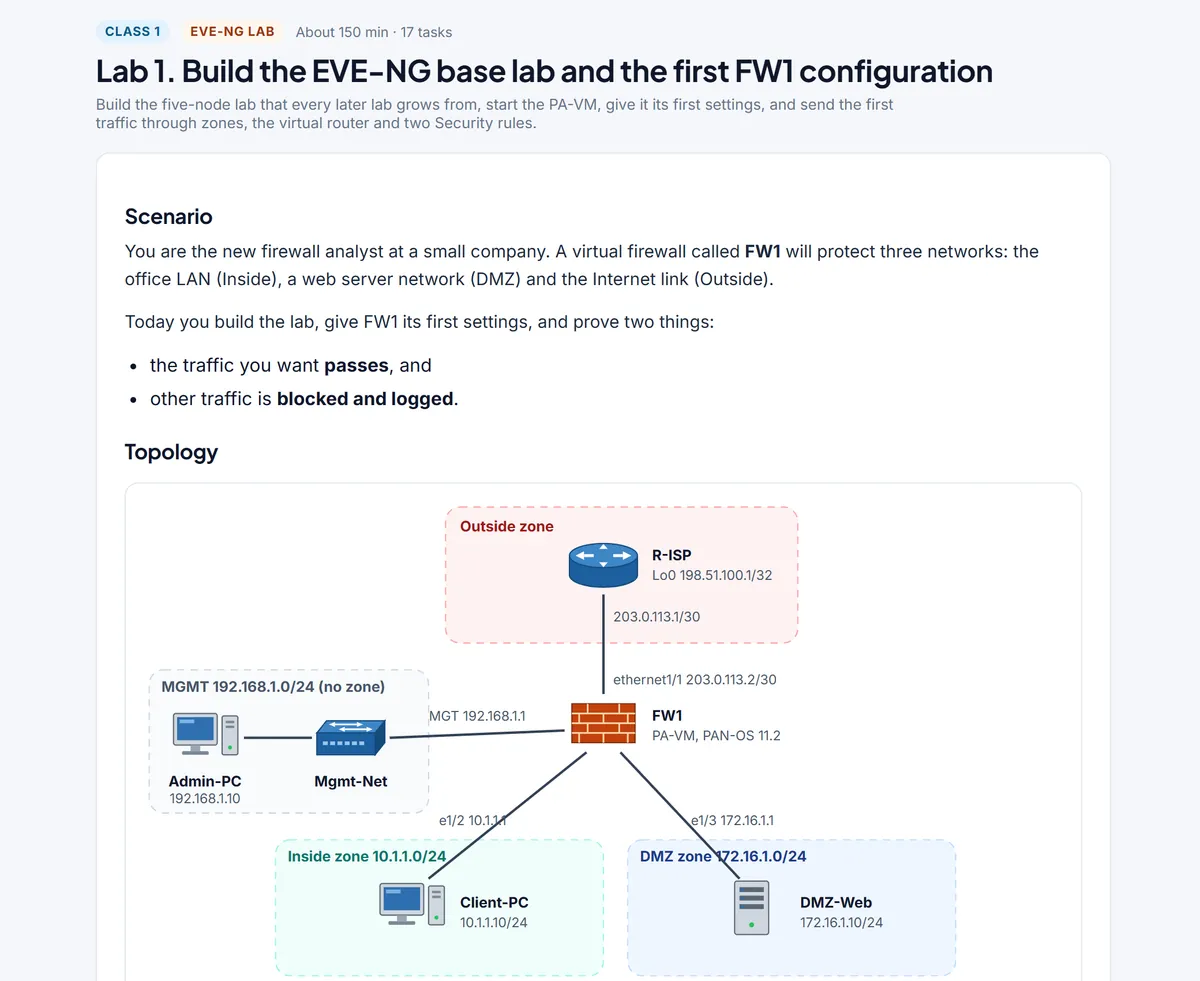
Palo Alto Networks and FortiGate students build their labs in EVE-NG. Each lab page gives the scenario, the topology, objectives, a device and address table and step-by-step tasks. Once you mark the lab finished, the solution guide opens so you can check your work.
Full practice exams near the end
When you are close to exam day, your mentor opens a full-length practice exam built like the real one: no going back to earlier questions and one timer for everything.
- CCNA v2.0: 3 hands-on labs first, then 70 questions, 120 minutes on one timer.
- CCNA Automation: 100 questions in 120 minutes.
- Scored out of 1000, with a report you can review afterwards.
Want to try the console first? Our free CLI labs and the free practice exam run on the same kind of engine, no sign-up needed.
How you get into the portal.
- Enrolled students in CCNA, CCNA Automation, CCNA Cybersecurity, Palo Alto Networks and FortiGate programs get the portal for their course. Each class opens after the live session that covers it, so the portal always matches where you are.
- After your free first session you get limited access to the student portal and your course content, so you can see the lessons, quizzes and labs before you decide.
- Your pace sets the schedule. The number of classes in each program is a recommended average, not a fixed limit. Your plan is built around your availability, background and goals.
Screenshots on this page come from a test account with sample data. Scores, names and progress are not from a real student. See all programs on the training page and prices on the pricing page.
See the portal for yourself.
Book a free 20 minute 1:1 call with a Cisco NetAcad instructor. You leave with a study plan, and afterwards you get limited access to the student portal for your course.
- 20 minutes, 1:1 with a Cisco NetAcad instructor
- No card, no obligation, no sales pitch
- You pick the slot that fits your week